

Design systems management with ... CLI
Probably one of the first things that I thought of trying when I started exploring the new possibilities that AI was opening was the ability to operate at the level of Figma variable structures. This is a necessary layer but often requires a few extra steps each time a decision has to be propagated at a system level.
The design system architecture is one important aspect that might bite you in the ass if not done right. It has quite a few times during the past few years when we were developing the scaffolding for the PentestTools design system. The reasons for that are quite simple:
- product needs are evolving
- tool capabilities are evolving
- human error
Despite being a big fan, truth is that Figma is not a design system centric tool - it is just a best-in-class emulator. It lacks tools that would allow migrating large sets of variables, component updates induce breaking changes forcing resets and lack of basic concepts like slots etc. It is fragile.
First trial
Given all the above considerations, we have been postponing a big variable migration for a good while. In short, due to historical considerations we were feeding 2 variable libraries into our libraries. Besides being a maintenance hell, this was polluting our selectors with a bunch of definitions that were not meant to be used directly (more on the architecture in another post).
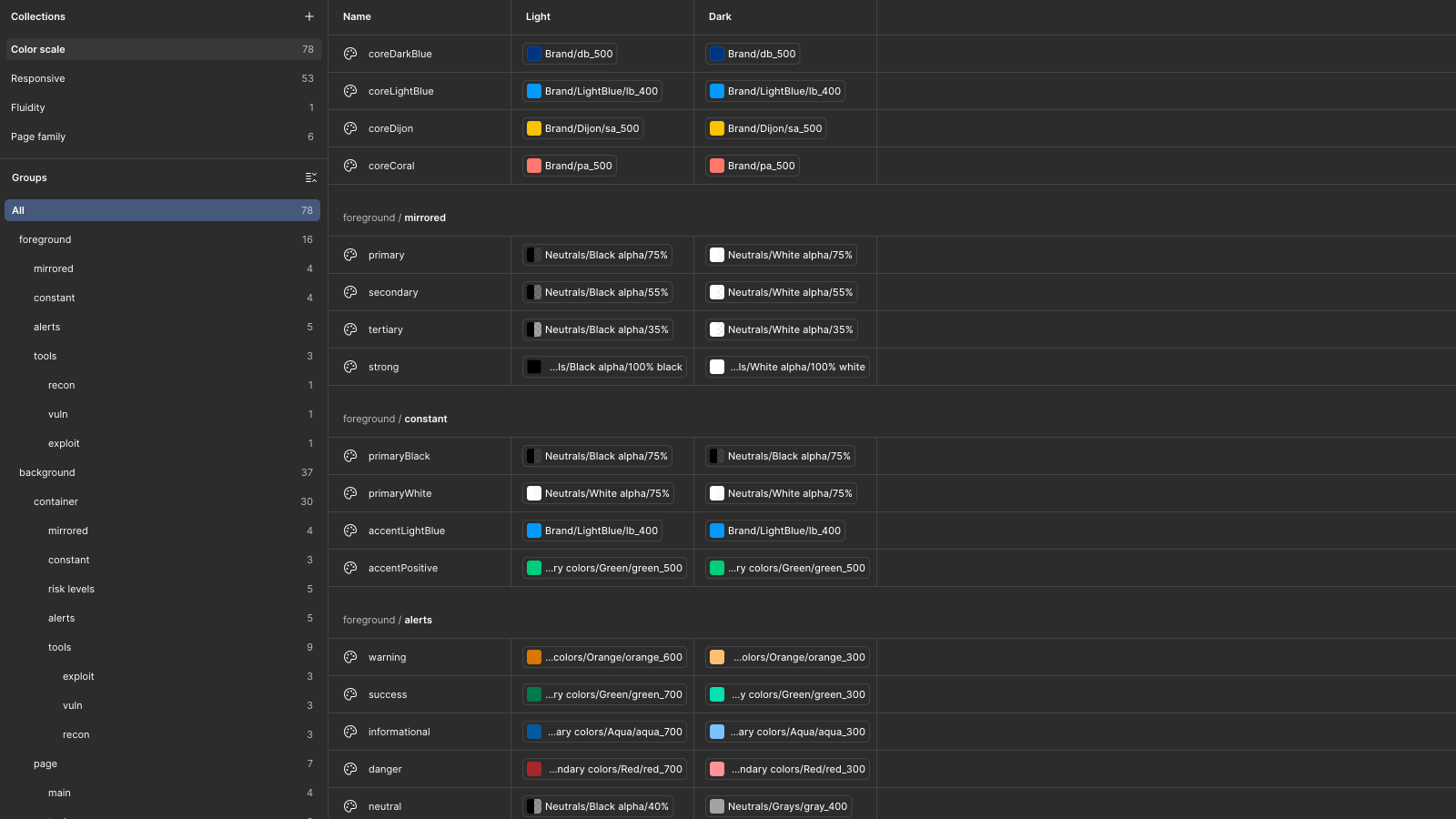
Normally, such an endeavour would have taken hours of our time with loads of opportunities for human error. And since this was such a low-level transition it involved a ton of breaking changes at the level of all our components and this would have meant days of manual re-binding. Not ideal.
Alas, ClaudeCode + FigmaConsoleMCP came to the rescue - with just the right amount of /planning Claude has finished this hardcore migration + rebinding dependencies across 3 different libraries in something under an hour. This, I will admit, felt both empowering and scary at the same time.

Give a neanderthal a laser and he will happily chop wood
One day while doing the dishes and listening to some random AI generated suggestion on youtube, I stumbled upon this tool called CLI Anything. “Yes please“, I thouhgt “I will CLI just about anything!“. Bummer, though, there was nothing I could think of because I am not a fancy software developer with a GIT repo. This, nonetheless, stuck with me and a few prompts later I was setting grounds for a new proprietary tool for managing my design system.
A few ingredients were needed for this:
- a few smart functions that can do consensual stuff to my system. I already had this covered since all the work that had to be done on the earlier migration has been recorded in .md files and functions were used for that either way.
- a way of making changes to Figma files which was already covered by the proprietary plugin provided by FigmaConsoleMCP, the Figma Desktop Bridge
- a little bit of sweat
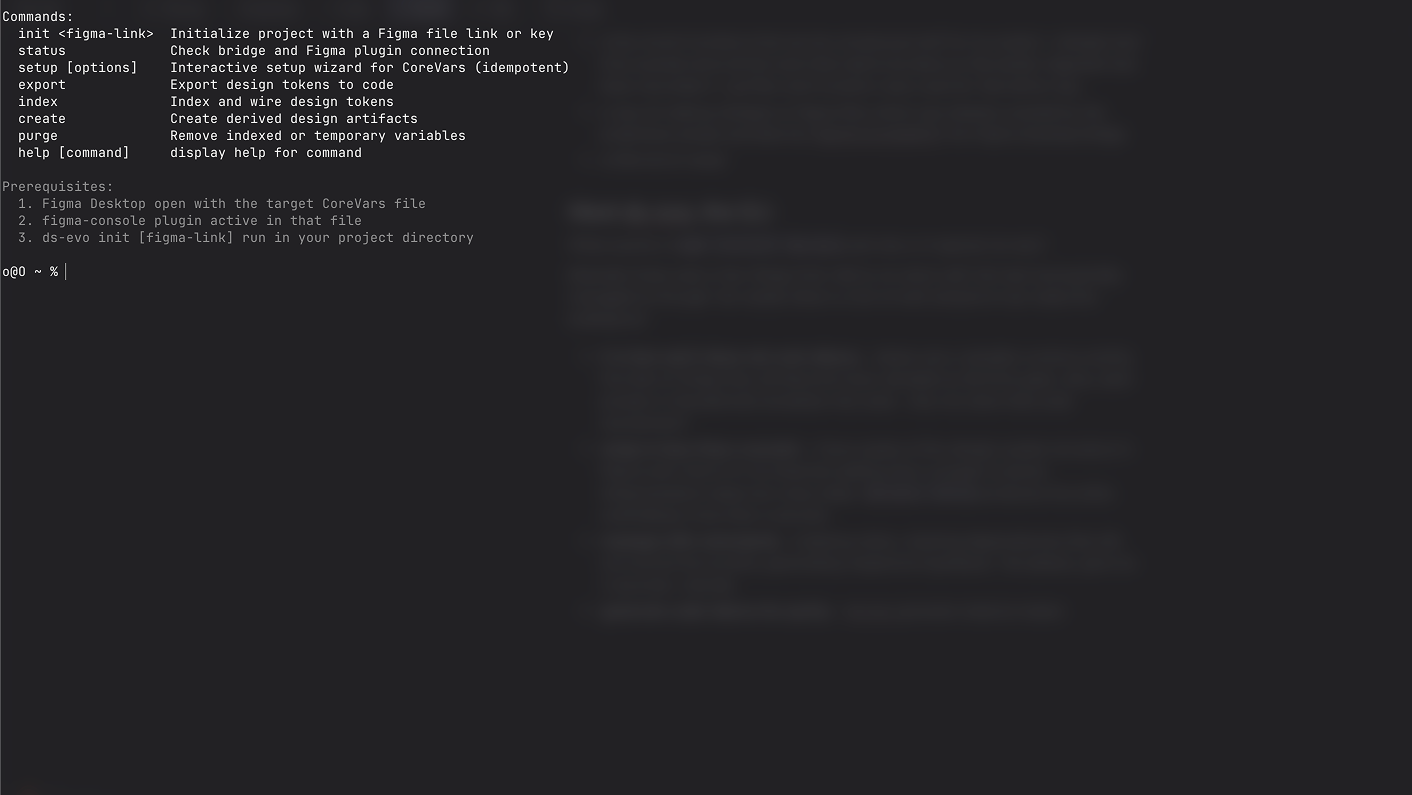
Meet ds-evo, the CLI
What exactly is npm install ds-evo and why is it special (to me)?
Basically there were a few things that I did try to solve with this tool (and partially managed to) though I do realise there is a lot of work ahead to truly make this bulletproof:
- it is fast and it does not cost tokens - tokens are a valuable currency and by the look of things they will become more valuable as the time goes. also, each prompt in ClaudeCode translates into code - why not store that code somewhere?
- setup in less than a second - I have copies of the design system structure in Figma and I have it in my head but getting from concept to actual implementation takes too many steps.
ds-evo setupproduces the entire scaffolding in less than a second; - manage with commands - indexing colors, cleaning dependencies that did not survive the scrutiny, generating responsive typefaces. Yes please, give me 2 seconds. Literally.
- generate code tokens for parity -
ds-evo export tailwindmakes exporting tailwind dependencies a pleasure;
But is it actually useful?
Honest answer - yes and no. I am actually using some of the features I listed above, especially the ones pertaining to exporting various definitions to code. But as many neanderthals, I have discovered that knowing what is happening in your own code is not optional, no matter how much AI you throw at it. As such, I am trying a more intentional approach to the CLI tool. With the help of AI, ofc.
I am definitely committed to developing this into a tool that is actually bulletproof and brings the maintenance of a design-system in a range of acceptable pain.
Another important objective is that of acclimatising to the realities of the modern developer and better understanding the necessary dependencies that can be translated into code as to remove the barriers between the 2 disciplines which are in fact one single discipline (but about this some other day).
Fingers crossed.

